Are you tired of constantly adjusting your TV antenna to get a good signal? Frustrated with fuzzy screens and interrupted viewing experiences? Well, you’re in luck! In this guide, we will delve into troubleshooting tips to help you fix your TV antenna and enjoy a crystal-clear signal. From checking connections to adjusting the antenna placement, we’ll cover it all. No more pixelated images or lost channels. We’ll equip you with the knowledge you need to conquer the antenna woes and bring your favorite shows back to life. Whether you’re a technophobe or a DIY enthusiast, our step-by-step instructions and easy-to-follow explanations will guide you through the process. Say goodbye to expensive service calls and hello to a hassle-free TV experience. Don’t let a poor TV antenna signal ruin your binge-watching sessions or important sporting events. With our troubleshooting tips, you’ll soon be enjoying a flawless picture quality and a superior entertainment experience. So grab your tools and get ready to fix your TV antenna like a pro!

It is actually possible to properly fix your antenna issues if you follow the steps correctly. Plus, this means you do not have to miss your awaited show, match, or movie while you wait for your appointment with a professional.
1. Diagnose the Issue
The very first thing you need to do is diagnose your problem. For example, are you getting some channels but not others? Are you getting no signal at all, or are you just getting fuzzy pictures? Finding out the exact issue that you are dealing with is going to help you find out if there’s something wrong with your TV antenna or if the problem arises from another cause. After finding out exactly what issue you are facing you can go through the following steps to find out how to fix it.
2. Replace the Whole Antenna if Needed
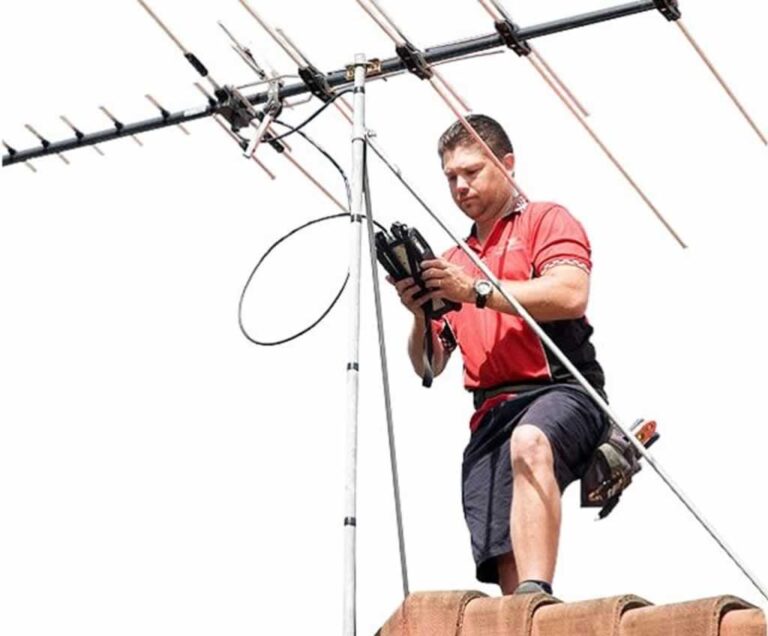
Of course, if your antenna is too damaged to even fix, you might want to look for a new outdoor alternative that will run more smoothly. If you are looking for a new replacement, there are different factors that you should look out for, including the range of an antenna. The antenna manufacturers claim that fixing your antenna is something that you can try to do on your own if you know how to follow the right steps. Sometimes, the issue is due to your antenna being weak or simply too damaged due to the weather or years of wear, in which case it is better to just get a new one.
3. Replace Cables as Necessary
When checking the connections and placement of cables, you also need to take the time to check whether there are any cables that are worn out or chewed; damaged cables are a surefire reason for why you might not be getting any signal to your television. If the cables are really old, you might also consider replacing them. Even if they show no outside damage, there might be an issue with the wires inside the cables themselves.
4. Check Connections and Cables
Sometimes, the issue is simply a case of not having the cables connected properly, and it’s sometimes because they are not connected to the right socket. Checking that everything is where it is supposed to be can actually save you a lot of money and effort trying to fix an antenna that does not have issues to begin with.

5. Get a Signal Booster
If you are not getting any signal, this may be due to your cables being too long or because you are too far from a TV broadcast tower. Either way, you can solve such an issue by getting a signal booster and connecting it to your antenna. As a general rule of thumb, cables should not exceed 100 feet if you are not going to be using a booster. If your cables are more than 100 feet, then a third of the signal is lost, if not more.
6. Adjust Positioning
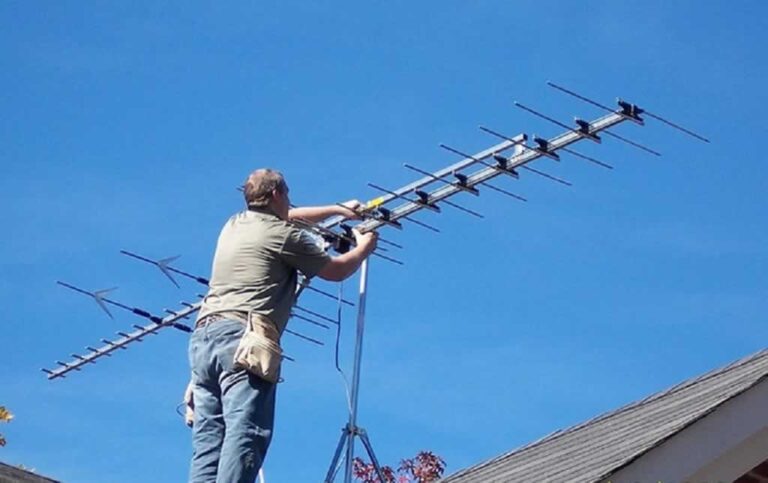
Sometimes, the issue with your antenna is simply its positioning. This might be the case if you are close to two broadcasting towers and both signals are being detected. Simply adjusting your antenna to be facing only one of the towers is going to solve your signal problem.
7. Check for Possible Interferences
If your TV antenna is indoors, then you need to keep it away from metals and lights that can distort the signal if caught by the antenna. Keeping your antenna away from such interferences can be all you need to ensure that your issues are a thing of the past.
8. Make your TV antenna Longer
One of the causes of signal issues is that your TV antenna might not be big enough to catch the signals being broadcasted. You can solve this issue by making your antenna bigger. All you have to do is connect a metal rod to the antenna. This makes your antenna longer and thus more likely to get a clearer signal.
We already instructed you how to do a DIY TV antenna installation and using these tips, you’ll be able to fix any issues you are facing when it comes to your TV antenna placement. You do not have to worry about missing any more of your favorite shows because of a bad signal or a faulty antenna setup. Remember that the most important step in the process is to diagnose the problem properly so that you can easily and quickly fix your problem.